Run Qwen 3.8 on Apple silicon, without rate limits
Qwen3.8-27B runs locally on a Mac Studio with Ollama and Zoo Code. Here is the setup, the unified memory you actually need, and the honest performance ceiling.
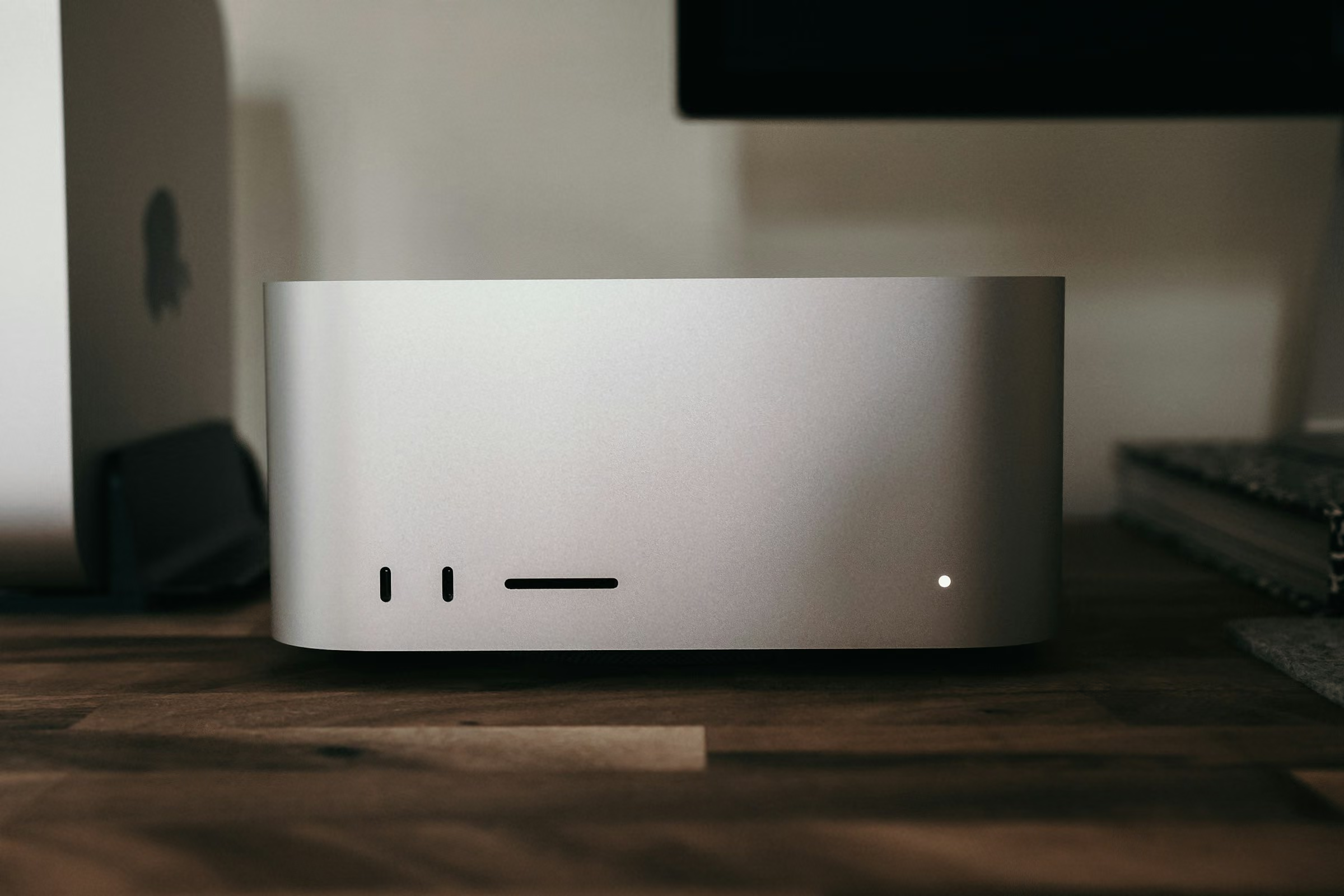
As much as I love Mac minis, this is the one job where you want a Studio. An Ultra-class Studio, to be specific. Read on for why.
The Rate-Limit Frustration
You're in the flow. The agent is mid-refactor, the tests are green, and you're about to ship. Then the spinner appears. Rate limited.
It happens with Claude. It happens with OpenAI. It happens with Antigravity. You hit the hourly token ceiling, the daily request cap, or the concurrent-session limit, and your momentum dies. You wait. You switch accounts. You downgrade your prompt. You lose the thread.
A bigger API quota just moves the ceiling further out. What actually fixes this is a local model you own, running on hardware you control, available around the clock with no meter running. The catch is that the hardware has to be right, and that is the part most guides gloss over. This one doesn't.
Which Qwen 3.8 is this?
Worth settling before anything else, because the naming trips people up. Three different things get called some version of Qwen 3.8, and only one of them is the subject of this guide.
| Name | What It Actually Is |
|---|---|
| Qwen3.8-27B | The open-weight 27-billion parameter model released under Apache 2.0. This is the one you can download and run on your own Mac, and the one this guide covers. |
| Qwen 3.8-Max | A much larger flagship in the same generation, available through an API rather than as weights you can download. You cannot run this one locally. |
| Qwen3-8B | An older 8-billion parameter model from the previous Qwen3 generation. The similar spelling is a coincidence of version numbering, not a smaller edition of Qwen 3.8. |
Everywhere below, Qwen 3.8 means Qwen3.8-27B. On Ollama it is simply the qwen3.8 tag, which is where
the spelling without a space comes from. And if you're still weighing Qwen against the other open-weight contenders,
the
local coding model comparison
covers the whole field. This page assumes you've settled on Qwen and want it running.
Qwen 3.8 hardware requirements on Apple silicon
Start here, because this is the step that decides whether the rest of the guide works. The model this article recommends is Qwen3.8, a 27-billion parameter model with a 256K context window. The default tag Ollama pulls is a 4-bit quant that lands at 18GB on disk, and it has to sit in unified memory to run at speed.
That single number sets the floor. A 16GB Mac cannot hold this model. 32GB runs it but leaves little headroom for context. 64GB is where local agentic coding stops feeling like a compromise, for a reason covered in the context window step below: macOS only lets the GPU address part of unified memory, so the memory Ollama sees is always smaller than the number on the spec sheet.
| Unified Memory | What You Get |
|---|---|
| 16GB | Will not run the 18GB model. Pick a smaller model or a bigger Mac. |
| 24GB to 32GB | Runs, but the context window is the constraint. The GPU sees roughly two-thirds of unified memory, so Ollama defaults to a 4k context here. Workable for single-file edits and short tasks. |
| 48GB | Comfortable for the weights, but the GPU sees around 36GiB, which lands in Ollama's 32k default tier rather than the full 256k. |
| 64GB | The sweet spot. Roughly 48GiB goes to the GPU, which is where Ollama's 256k default tier begins, with room for a long agent context on a real codebase. |
| 96GB and up | Headroom for larger models or several loaded at once. Spend here only if bandwidth is already high. |
Capacity decides whether the model runs at all. Memory bandwidth decides how fast it feels. Those are two different specs, and the Under the Hood section has the full table of Apple silicon bandwidth figures so you can size the second one properly.
How to run Qwen 3.8 on a Mac with Ollama
Seven steps. No cloud account, no API key, no meter. Budget most of the wall-clock time for the 18GB model download.
1. Get Ollama
Ollama is the local runtime that serves open-weight models over a clean HTTP API. Grab the macOS build from the Ollama download page.
2. Pull Qwen3.8
Qwen3.8 is the model I recommend for local agentic coding. It is strong at multi-step reasoning and tool use, it follows agent skills and markdown instruction files closely enough for agent mode to work, and thinking mode is on by default with the reasoning depth tunable per request.
Browse the model card on the Ollama library, then pull it from your terminal:
That pulls qwen3.8:latest, an 18GB 4-bit quant. If you have memory to spare and want higher
fidelity, qwen3.8:27b-q8_0 is 30GB and qwen3.8:27b-bf16 is 56GB.
One thing worth knowing before you settle on Ollama for this: I benchmarked it against Apple's own MLX runtime on the same weights, and on a dense model at 4-bit MLX generates about 40 percent more tokens per second. The advantage disappears at 8-bit and reverses on mixture-of-experts models, so it is not a straight upgrade. The full measurements are here, along with the prompt-caching trap that makes most published comparisons wrong.
3. Raise the context window
This is the step that is easy to skip, and it is a common reason people conclude that local agents are useless. Ollama picks a default context length based on available VRAM: under 24GiB you get 4k tokens, 24GiB to 48GiB gets you 32k, and 48GiB or more gets you the full 256k.
Those thresholds are VRAM, not unified memory, and on Apple silicon the two are not the same number. macOS reserves part of unified memory for the system and hands the GPU roughly two-thirds of it on machines up to 36GB and roughly three-quarters above that. A 48GB Mac therefore presents about 36GiB to Ollama and lands in the 32k tier, not the 256k one. That is the real reason the sweet spot is 64GB rather than 48GB.
A 4k context is not an agent. It is an autocomplete that forgets the file it just opened. Ollama's own context length documentation is explicit about it: tasks that need large context, including agents and coding tools, should be set to at least 64000 tokens. Treat that as the floor. For agentic coding, give it the model's full window:
262144 is the 256k window Qwen3.8 was trained for, and it is the same value Ollama picks on its own once it sees 48GiB of VRAM. Setting it explicitly means you get that window regardless of how Ollama reads your hardware. On a 64GB Mac or larger there is room for it. On a smaller machine the setting will still apply, but the weights plus a context that size will not fit in what the GPU can address, and Ollama will spill to the CPU and slow to a crawl. Drop to 65536 there.
The Ollama desktop app exposes the same setting as a slider in its settings menu. Once the model is loaded, ollama ps confirms both the context window it was given and whether it is actually running on the GPU.
This is also the honest reason the memory tiers above matter. A longer context costs memory on top of the 18GB of weights, so context length and unified memory are the same budget spent twice.
4. Install VS Code
If you don't already have it, grab VS Code.
5. Install the Zoo Code extension
Add the Zoo Code extension from the VS Code marketplace. It gives you a set of agent modes in the editor, including Architect for planning, Debug for diagnosis, and Code for everyday edits and file operations.
6. Connect to Ollama
In Zoo Code's settings, select ollama as the API provider, leave the base URL at the local default
of http://localhost:11434, and enter qwen3.8 as the model. The
Zoo Code Ollama provider documentation
covers the full option list.
One detail worth knowing: Zoo Code defers to the model's num_ctx as Ollama reports it rather than
setting a context length of its own. That is why step 3 comes before this one. If you raise the context after
the model is already loaded, restart the Ollama server so the new value takes effect.
7. Start coding
Put the tool in Code mode and start working. It picks up your agent skills and markdown instruction files the same way a cloud coding agent does. No rate limit. No meter. No waiting for a quota to reset.
If your repo doesn't have those files yet, start from the agentic software factory starter kit. It's an AGENTS.md template, five scoped rules, and ten skills, including a QA pass that tests and screenshots its own work.
That's one developer off the meter. Rolling the same stack out to a whole engineering team is a different project, and the first question is not which model to run. It's whether your codebase is something an agent can actually work in.
I keep a ten-point agent-ready codebase audit for exactly that, and it takes about an hour to run against a real repo. If it comes back more red than green, closing that gap is what my hands-on agentic coding workshop is built around, from first local model to a production setup the team actually uses.
Under the Hood
If you're choosing hardware or wondering why one Mac feels faster than another, these are the four things that actually matter for local agentic coding.
1. Prompt processing is bound by GPU speed
The first pass over your prompt is compute-bound. The GPU has to process every token in the context window before it can start generating. Newer GPU architectures with more cores and wider memory interfaces finish this pass faster. An M3 Ultra will chew through a long prompt noticeably quicker than an M1, even if the two chips end up generating tokens at a similar clip.
This is the spec you feel most in agentic coding specifically, because an agent re-reads a large context on every turn. It is the difference between a pause you ignore and a pause you alt-tab away from.
2. Token generation is bound by memory bandwidth
Once the model starts writing, every token it generates requires reading the model's weights back out of memory. That makes bandwidth the ceiling. Raw compute barely enters into it.
The practical upshot is that bandwidth tiers matter more than product names. An M1 Ultra at 800GB/s and an M3 Ultra at 819GB/s generate tokens at roughly the same speed despite two generations between them, because they sit in the same bandwidth class. A recent Max chip lands close behind. A base chip is a different category of experience entirely, and no amount of extra RAM changes that.
Worth stating plainly, since it causes a lot of confusion: there is no M4 Ultra. Apple's Ultra tier skipped the M4 generation entirely, and the drought ended with the M5 Ultra, which now tops the bandwidth chart at 1.2TB/s, followed by the M3 Ultra, the M5 Max, and the M4 Max.
This is the whole case for the Studio, and I say that as someone who runs a rack of Mac minis. The mini tops out at the M5 Pro and 307GB/s. An M5 Ultra Studio reads the same weights at 1.2TB/s. Identical model, identical quant, four times the memory bandwidth feeding the GPU.
Here's the Apple silicon lineup, sorted by generation:
| Chip | Memory Bandwidth | Class |
|---|---|---|
| M1 | 68.25 GB/s† | Base |
| M1 Pro | 200 GB/s | Pro |
| M1 Max | 400 GB/s | Max |
| M1 Ultra | 800 GB/s | Ultra |
| M2 | 100 GB/s | Base |
| M2 Pro | 200 GB/s | Pro |
| M2 Max | 400 GB/s | Max |
| M2 Ultra | 800 GB/s | Ultra |
| M3 | 100 GB/s | Base |
| M3 Pro | 150 GB/s | Pro |
| M3 Max | 300–400 GB/s | Max |
| M3 Ultra | 819 GB/s | Ultra |
| M4 | 120 GB/s | Base |
| M4 Pro | 273 GB/s | Pro |
| M4 Max | 410–546 GB/s | Max |
| M5 | 153 GB/s | Base |
| M5 Pro | 307 GB/s | Pro |
| M5 Max | 460–614 GB/s | Max |
| M5 Ultra | 1.2 TB/s | Ultra |
| M6 | 170 GB/s | Base |
† Apple has never published a bandwidth figure for the original M1. The value is the widely reported number derived from its memory interface width and speed, and should be treated as a close approximation rather than a vendor specification. Every other figure in this table comes from Apple.
Sources
- Apple MacBook Pro specs — M5 at 153 GB/s, M5 Pro at 307 GB/s, M5 Max at 460 GB/s and 614 GB/s
- Apple Mac Studio specs — M3 Ultra at 819 GB/s, M4 Max at 410 GB/s and 546 GB/s
- Apple Mac mini specs — M4 at 120 GB/s, M4 Pro at 273 GB/s
- Apple M6 and M5 Ultra announcement — M5 Ultra at 1.2 TB/s, M6 at 170 GB/s
- Apple MacBook Pro 14-inch M3 Pro and M3 Max tech specs — M3 Pro at 150 GB/s, M3 Max at 300 GB/s and 400 GB/s
- Apple MacBook Pro 14-inch M3 tech specs — M3 at 100 GB/s
- Apple Newsroom: M2 Pro and M2 Max — M2 Pro at 200 GB/s, M2 Max at 400 GB/s
- Apple Newsroom: M2 — M2 at 100 GB/s
- Apple Newsroom: M2 Ultra — M2 Ultra at 800 GB/s, stated as twice that of M2 Max
- Apple Newsroom: M1 Ultra — M1 Ultra at 800 GB/s
- Apple Newsroom: M1 Pro and M1 Max — M1 Pro at 200 GB/s, M1 Max at 400 GB/s
3. Memory capacity is a floor, not a dial
You need enough unified memory to hold the weights and the context window at the same time. If it doesn't fit, it doesn't run, or it spills and crawls. That's the hard floor, and for Qwen3.8 the floor is 18GB of weights before a single token of your codebase is loaded.
Above the floor, returns diminish quickly. Going from 32GB to 64GB buys real context headroom and is the upgrade most people should make. Going from 64GB to 128GB buys very little for this model, because the weights and a generous context already fit. At that point the money is better spent on bandwidth, which is the spec that never stops mattering.
4. One task at a time, around the clock
An agentic coding workload saturates the GPU. You're not going to run two heavy coding sessions in parallel on a single Mac and expect both to stay fast. Plan for one task at a time.
But here's the trade-off that makes it worth it: you can run that one task continuously without a rate limit. No hourly cap. No daily ceiling. No concurrent-session limit. The machine doesn't care if it's 3 AM. That should soften the blow of single-task throughput.
It also points at the only real way to scale this, which is more machines rather than a bigger one. That's the entire argument behind the Mac cluster build documented in the rest of this series.
Qwen 3.8 coding performance: what to expect
A 27-billion parameter model running at 4-bit precision on a desktop is not a frontier model. Here is where the line actually falls.
Qwen publishes benchmark results for Qwen3.8-27B on its model card, including 73.0 on Terminal-Bench 2.1 and 61.7 on SWE-bench Pro. Those are vendor-reported numbers on evaluations Qwen selected and in some cases modified, so treat them as a directional signal rather than an independent verdict. They are consistent with what the model feels like in practice, which is the useful part.
It handles the work that fills most of a day: implementing a well-specified function, writing tests, tracing a bug through a few files, refactoring a module, and writing documentation. It follows instructions in markdown files consistently enough to stay on task, which is what makes agent mode viable at all.
It struggles where the frontier models still earn their price: sprawling multi-file architectural changes, subtle reasoning about unfamiliar library internals, and long autonomous runs where a small early mistake compounds. Thinking mode helps and costs tokens, so on lower-bandwidth hardware you feel that trade directly.
Think of it as triage. The local model takes the volume work with no meter running. The cloud model gets the two or three genuinely hard problems you hit in a day. That split is also what makes the rate-limit ceiling stop mattering, because you stop spending your quota on boilerplate.
Getting one developer onto that split takes an afternoon. Getting a whole engineering org onto it is a people problem, and it is the one I spend most of my time on. If that is the problem sitting on your desk, my AI speaking programs cover how to make the triage stick across a team, fees and formats included.
Frequently asked questions
Is Qwen 3.8 the same as Qwen3-8B?
No. Qwen3-8B is an older 8-billion parameter model from the Qwen3 generation. Qwen 3.8 is a newer generation, and the open-weight model in it is Qwen3.8-27B, a 27-billion parameter model released under Apache 2.0. There is also Qwen 3.8-Max, a much larger API-only flagship in the same generation. This guide covers Qwen3.8-27B, the one you can actually run on a Mac.
Can you run Qwen 3.8 on a Mac?
Yes. Qwen3.8-27B runs on Apple silicon through Ollama. The default 4-bit build downloads at 18GB and has to fit in unified memory, so 32GB is the practical floor and 64GB is where it stops feeling like a compromise. There are also mlx tags that target Apple’s own machine learning framework.
How much RAM do you need for local agentic coding on a Mac?
The default Qwen3.8 build is a 27-billion parameter model that downloads at 18GB. A 16GB Mac cannot hold it. 32GB is the practical floor, and 64GB is what unlocks Ollama’s largest default context window, which is what agentic coding actually consumes. The gap exists because macOS gives the GPU only about two-thirds to three-quarters of unified memory, so a 48GB Mac presents roughly 36GiB to Ollama.
Do you need a Mac Studio with an Ultra chip, or will a Mac mini work?
Token generation speed tracks memory bandwidth. The M5 Ultra Mac Studio at 1.2TB/s is the new ceiling, and an M3 Ultra at 819GB/s or an M5 Max at 614GB/s remain comfortable. An M4 Pro Mac mini at 273GB/s runs the model but generates roughly a third as fast as the M3 Ultra. There is no M4 Ultra, so the Ultra tier means a Mac Studio with the M5 Ultra, the M3 Ultra, or an older M1 or M2 Ultra.
Why is my local coding agent forgetting context or failing mid-task?
Ollama sizes its default context window by available VRAM, and under 24GiB that default is only 4k tokens. Ollama’s own documentation puts the floor for agents and coding tools at 64000 tokens, but for agentic coding set OLLAMA_CONTEXT_LENGTH=262144 to get the full 256k window Qwen3.8 was trained for. That needs a 64GB Mac or larger; on a smaller machine drop to 65536 so the weights and context still fit in memory the GPU can address. Set it before starting the agent, not after.
Can you run more than one agentic coding session on a single Mac?
An agentic coding workload saturates the GPU, so plan on one heavy session per machine. Scaling out means adding machines, which is the argument for a Mac mini or Mac Studio cluster rather than a single larger Mac.
Join the Local AI Group
Scaling localized AI workloads in enterprise and hyper-growth environments requires solving highly complex infrastructure, secure networking, and hardware optimization challenges at scale.
The Local AI Group is the premier global technical network designed exclusively for active senior engineering leaders, including Chief Technology Officers, VPs of Engineering, and Directors of Engineering at Fortune 500 companies and top-tier startups. Our invitation-only space connects leaders scaling production-grade local AI systems. We bypass commercial marketing hype to focus strictly on hardware topologies, private LLM clusters, enterprise security frameworks, and custom sandboxing alongside elite peers operating at the absolute top of the global technology sector.
Roundtable focus areas
- Direct exchange on physical cluster topologies, high-throughput GPU clusters, and enterprise server architecture
- Vetted blueprints for thermodynamic profiles, process orchestration, and private model deployment pipelines
- Hardened boundary defense frameworks for satisfying SOC 2, ISO 27001, and GDPR perimeters with repatriated infrastructure
I vet each application myself to ensure a high-signal environment of peer practitioners.
Apply to Join the Slack GroupSharing confidential or proprietary information is strictly forbidden. Participation is subject to the Terms of Use.
Building a Mac cluster for local AI
This article is part of an in-depth technical series detailing the creation of a localized Apple silicon server cluster for enterprise AI inference, covering Mac mini and Mac Studio hardware, local agent hosting, and agentic coding.
How we built an M4 Mac mini cluster to cut AI cloud spend by $40k/year
The business case and localized architecture that cut enterprise Google Cloud spend by $40,000 annually.
Local AI use cases: local vs. cloud AI architecture
The enterprise decision matrix mapping air-gapped compliance, agentic coding, robotics, batch execution, and offline operations to local Apple silicon or cloud APIs, plus the hybrid local-first framework.
M5 Ultra vs. M5 Pro vs. M6 for local AI
Whether to buy one 512GB M5 Ultra Mac Studio, one M5 Pro Mac mini, or a swarm of 2nm M6 Mac minis, with the memory bandwidth math that decides it.
How to build an M6 or M5 Pro Mac mini cluster
Step-by-step setup guide covering hardware configuration, base macOS setup, secure remote access, process management, and cloud fallbacks.
Run Qwen 3.8 on Apple silicon, without rate limits
Running Qwen3.8-27B locally with Ollama and Zoo Code, plus the Mac mini and Mac Studio memory bandwidth numbers that decide whether local agentic coding is usable.
Best local LLMs for agentic coding on Apple silicon
Qwen 3.8, Qwen3-Coder, Gemma 4, DeepSeek V4 Flash, and GLM-5.3 compared for agentic coding, with the memory math that matches each model to the Mac that runs it.
Local AI agent hosting on M6 and M5 Pro Mac minis
Configuring a secure, low-power private AI appliance for always-on autonomous agent workflows.
Local AI Security: ISO 27001:2022, SOC 2 & GDPR Compliance
Architecting a hardened physical perimeter to satisfy rigorous enterprise ISO 27001:2022 and SOC 2 audits, plus the GDPR case for keeping inference in-house.
MLX vs Ollama on Apple silicon, measured
Fifty-four benchmark runs on the same weights and matched quantization, showing where each engine wins and why the answer changes with the model.
What a fanless Mac sustains under load
Six ten-minute runs on an M5 MacBook Air measuring what throughput actually holds, why a median of three overstates it, and why mains power turned out slower than battery.
Ready to code without limits?
I keynote conferences on zero-cloud AI, and my hands-on workshop, Modernize Your Engineering Org for the AI Era, takes engineering teams from their first local model to a production agentic coding stack.