March 17, 2026
Technology

60-Minute Security Audit

Data security is rarely the topic that gets anyone excited. It usually feels like a chore, an expensive insurance policy, or the corporate equivalent of eating your vegetables.

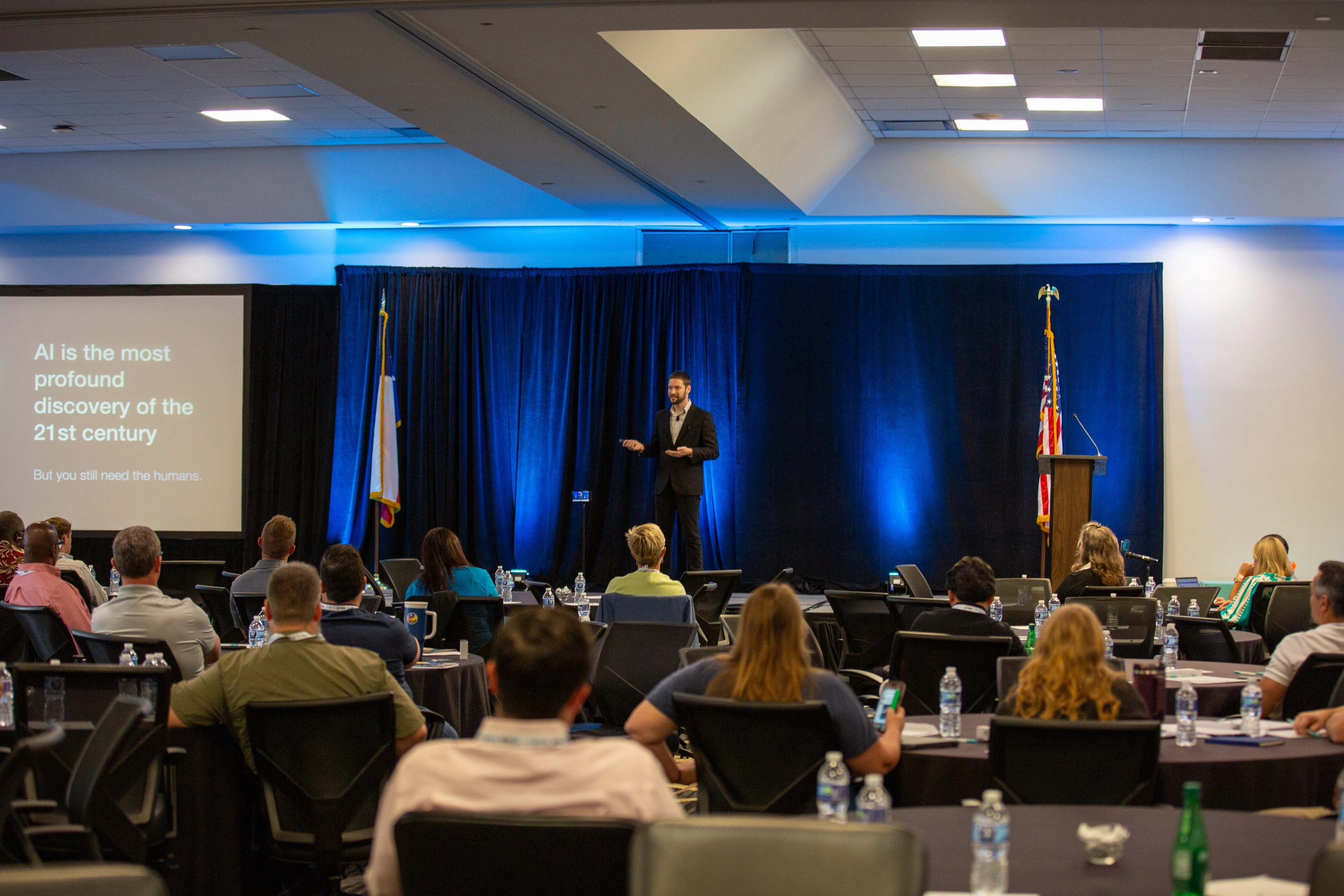
Recently, while preparing a session for an upcoming conference, I was reflecting on how much traditional industries have changed. Decades ago, trust was earned with a firm handshake and the safe delivery of physical goods. Today, the "front door" of nearly every business is digital. You need to interact with sensitive data as the normal course of doing business.

As your business relies more on digital tools to operate, your security is only as strong as your weakest software vendor. But you don't need a computer science degree to protect your business—you just need a practical, owner-focused strategy.

Here is a look at the blueprint we use to manage third-party risk, and how you can operationalize security without slowing your business down.

The 60-Minute Security Audit

At Yembo, we navigate some of the most rigorous compliance landscapes in the world to serve insurance carriers and government agencies. We didn't just "buy" security; we built it into our culture, achieving ISO 27001, SOC 2 Type II, GDPR, and NIST 800-171 certifications.

I know the grit required to build a fortress around sensitive data while running a fast-moving AI startup. To help you evaluate the software vendors you trust with your data, here is a non-technical "litmus test" you can conduct in under an hour.

You don't need to be a security professional to evaluate your software partners. Just send this questionnaire to your vendors. If they take more than a week to answer, or if the red flag count is more than zero, you have your answer.

Section 1: The Basics

If they miss one of these, stop the evaluation. They aren't ready for your business.

  1. Do you hold a current SOC 2 Type II or ISO 27001:2022 certification? If so, is there a dashboard we can use to follow real-time compliance throughout the year?
    These certifications prove an independent auditor has verified the vendor's security controls over time, not just in a one-off check. Best-in-class companies provide a real-time trust center that provides access to a real-time attestation of conformance to controls.
    🚩 Red Flag: "We follow SOC 2 principles" (but have no report) or relying solely on their cloud provider's (e.g., AWS) security. The ISO 27001 standard was refreshed in 2022. In 2026, there are risks if a company is still adhering to the older 2013 standard.
  1. Do you carry dedicated Cyber Liability Insurance?
    General business liability insurance often excludes cyber incidents. If a vendor causes a breach, you need to know they have a specific policy to cover forensic investigations and lawsuits rather than going bankrupt and leaving you with the bill.
    🚩 Red Flag: "Our general liability policy covers it" or coverage limits under $1M.
  2. Is customer PII (Personally Identifiable Information) and video data encrypted at rest and in transit?
    Without this, your customer's names, addresses, and video inventories are readable by anyone who gains access to the hard drive or intercepts the Wi-Fi connection.
    🚩 Red Flag: They mention "encryption" generally but can't name the specific algorithms (e.g., AES-256, TLS 1.3).
  3. Is your platform protected by a firewall?
    Without a properly configured firewall, your platform is essentially sitting on the open street with the front door wide open to automated "bot" attacks and hackers.
    🚩 Red Flag: No regular testing schedule for firewall configurations.
  4. Do you enforce Multi-Factor Authentication (MFA)?
    Passwords are easily stolen or bought on the dark web. If a vendor's support staff can access your data without MFA, your data is one "phishing" email away from being exposed.
    🚩 Red Flag: "We encourage it but don't enforce it" or "Only for admins."
  5. Can you provide your most recent penetration test summary report?
    Penetration testing is like a fire drill for your digital security. It involves hiring ethical hackers to intentionally try to break into the system to find weaknesses before real criminals do. A report from 2023 or older is useless in 2026.
    🚩 Red Flag: The vendor has no report, refuses to share a summary report, or the report is more than 12 months old. Another red flag is if the report shows "Critical" or "High" vulnerabilities that remain unresolved months after the test.
  6. How do you ensure your encryption is configured securely?
    Encryption isn't a "set it and forget it" feature. Old protocols (like SSLv3) were industry standard at the time they were released, but today have known vulnerabilities  that hackers can exploit. If a vendor doesn't actively monitor their settings, attackers can force your connection to use a weak cipher and read your data as if it weren't encrypted at all.
    🚩 Red Flag: "We installed an SSL certificate three years ago" or no mention of automated scanning tools.

Section 2: AI & Data Rights

Where the cheap "wrappers" get caught and your data gets leaked.

  1. Is sensitive personally identifiable information (names, credit cards) redacted before being processed by AI?
    Once sensitive data enters an AI model, it can be nearly impossible to "un-bake the cake". Redaction protects you from legal liability under GDPR or CCPA.
    🚩
    Red Flag: "We trust the AI provider's privacy policy" or no mention of data minimization or automated redaction.
  1. Do you use public cloud AI models (like ChatGPT, Gemini, or Claude) or do you develop your own models?
    Public models often use your data to train future versions. A "walled-garden" ensures your customer's data never leaves a secure vault that you control.
    🚩 Red Flag: Using standard consumer AI accounts instead of enterprise-grade, isolated environments.
  1. Who owns the output of the AI (the generated inventory/estimate)?
    You don't want the vendor claiming they own your customer lists or the resulting estimates after you've spent years feeding them data. You need a contract stating the "work product" belongs to you.
    🚩 Red Flag: Terms that grant the vendor ownership or broad "usage rights" to your generated data.

  2. Do you comply with the EU AI Act's transparency requirements?
    The EU AI Act is the world's strictest AI law with fines up to 7% of global turnover. If your software uses AI to interact with customers (like a chatbot) or analyze their private data (like a video survey), you are legally required to tell them.
    🚩 Red Flag: No visible labels or notifications telling customers that AI is being used.

  3. Does your survey app store customer videos/photos locally on the device?
    If a surveyor leaves their iPad at a coffee shop, you don't want a stranger accessing your customer's entire home video inventory. Secure apps upload data to the cloud immediately and wipe it from the device.
    🚩 Red Flag: Photos/videos remain in the device's "Camera Roll" or "Gallery."
  1. Where is your data physically hosted?
    Privacy laws like GDPR strictly regulate cross-border transfers, and some government contracts require "US Eyes Only".
    🚩 Red Flag: Hosting data in jurisdictions with weak privacy laws where it could be seized without consent.
  2. What controls do you have in place for GDPR and CCPA?
    Even if you aren't in Europe, principles like the "Right to be Forgotten" are now standard in US laws (CCPA). You need a vendor that offers a hard delete button, or you can risk fines and legal liability.
    🚩 Red Flag: No process to delete customer data
  3. Do you have a dedicated Data Protection Officer (DPO) or Security Lead?
    Security cannot be a "side hustle" for the CEO or a general developer. If no one person is accountable for data protection, then effectively no one is. In the event of a breach or audit, you need a specific point of contact who understands the regulatory landscape and the company's security architecture.
    🚩 Red Flag: A non-technical contact or individual without significant authority at the organization.
  4. Please provide your subprocessor list of vendors who process customer data.
    You aren't just hiring a software company; you are indirectly hiring every vendor they use. If they hide their vendor list, you have no way of knowing if your customer data is being sent to a cheap, insecure server overseas or a disreputable organization.
    🚩 Red Flag: Refusal to share the list or claiming "We don't use vendors."
  5. Do you vet your subprocessors? If so, what are your requirements?
    You’re only as strong as the weakest link in the chain. If your software provider uses a cheap, unvetted firm for their database management, your data is at risk regardless of how secure the main app is. You need to know that their vendors are held to the same high standards as you hold them.
    🚩 Red Flag: No formal Third-Party Risk Management program or failure to review their vendors' ISO 27001 or SOC 2 reports annually.

Section 3: The "Bad Day" Test

Prove they can survive a disaster without taking you down with them.

  1. What is your backup policy?
    Ransomware attackers now actively hunt for backups to overwrite or delete them, destroying your ability to recover. Immutable backups prevent this by strictly denying any command to modify or remove data, guaranteeing a clean restore point remains available.
    🚩 Red Flag: "We back up daily" (without mentioning data residency or immutability).
  1. What is your Recovery Point Objective (RPO) and Recovery Time Objective (RTO)?
    These metrics are the physical boundaries of your business’s survival. RPO determines how much data you can afford to lose (measured in time since the last backup), while RTO determines how long your business can stay offline before the damage becomes irreversible. For a mover, a bad RPO means losing a whole day of video surveys; a bad RTO means your sales team can't book moves for 48 hours during peak season.
    🚩 Red Flag: RPO over 1 hour, RTO over 4 hours

  1. What uptime percentage was your platform designed for?
    Availability is a design objective among professional engineering firms, not a best-effort basis. You need a vendor that treats availability as a core engineering requirement.
    🚩 Red Flag: Anything lower than 99.9% uptime.

  2. Do you have a publicly available status page for tracking your platform's uptime?
    Real-time transparency is proof of maturity. A public page proves they aren't "hiding the bodies" when things go wrong.
    🚩 Red Flag: "Just email support if it's down."
  1. Do you have an Incident Response Plan?
    When a problem happens, you don't want a team that is panicking and winging it. You need a tested playbook to recover quickly.
    🚩 Red Flag: No formal plan or recent test
  1. What protections do you have in place to ensure email integrity?
    If a hacker spoofs your email, they can trick customers into wiring money to a criminal. You need cryptographic proof that blocks fake emails before they reach the inbox.
    🚩 Red Flag: Missing DMARC or SPF records on their domain.
  1. Do you monitor the dark web for leaked credentials to your platform? If so, how often?
    Most hacks in 2026 are not technical, they are the result of human failures. You need proactive scanning to close the door before a criminal walks in.
    🚩 Red Flag: No threat intelligence or dark web monitoring.
  2. What software environments do you have?
    Software should never be built or tested on the same system that holds active customer moves. Mistakes in testing can delete real data or trigger fake emails to actual clients.
    🚩 Red Flag: No isolation between development and production environments or live customer data in non-production environments
    1. How do you safeguard data isolation across environments?

Section 4: The Human Element

Because people are the weakest link.

  1. Do you have a human-in-the-loop review process for AI accuracy?
    AI is prone to "hallucinations", or confidently stating facts that are wrong. A "Human-in-the-Loop" ensures that a qualified expert reviews and validates AI outputs before they reach your customer. This oversight is a key requirement for emerging standards (like ISO 42001) and builds trust with skeptical clients.
    🚩 Red Flag: "Our AI is 100% accurate" or relying fully on automated systems without an ability to audit the results.
  1. Do you perform background checks on all employees and contractors with access to production data?
    You wouldn't let a mover into a customer’s home without a background check; you shouldn't let a software engineer into their digital home without one either.
    🚩 Red Flag: "We trust our hiring process" (No formal background check policy) or "Only for US employees."

  2. Are your employees and contractors required to sign confidentiality (NDA) agreements?
    An NDA ensures that if an employee leaves or goes rogue, they are legally barred from taking your customer lists or trade secrets with them.
    🚩 Red Flag: No formal NDA signed by the first day of work.

  3. Do you revoke access for terminated employees and contractors within 24 hours?
    A disgruntled former employee can be your biggest security threat. If their access isn't cut when they leave, they can steal customer lists, export private data, or sabotage systems before anyone realizes they still have access.
    🚩 Red Flag: Manual offboarding processes that take days or weeks.

  4. Are all employees trained on security practices? If yes, how often?
    Your data is only as secure as the person who just clicked a link in a phishing email. Security training turns your staff from a liability into a "human firewall." Without regular training on social engineering and password hygiene, one mistake by a tired employee can bypass millions of dollars in technical security.
    🚩 Red Flag: Anything less frequent than annual testing for all employees and contractors

Download the Docs

For a version you can use, download The 60-Minute Security Audit Google Doc.

For a clean version you can send to prospective vendors without the explanations, download the doc.

Download the Baseline MDM Profile

Our open-source Apple Configurator payload for SOC-compliant bare-metal servers.
Download .mobileconfig

Keep reading

Enter your email to unlock the full article.

Thank you! Your submission has been received!
Oops! Something went wrong while submitting the form.

By submitting your email, you consent to be contacted in accordance with our Terms of Use.

Ready to take things to the next level?

Book my full or half-day workshop and level up your team's security posture.

Learn More

By using this website, you agree to our use of cookies. We use cookies to provide you with a great experience and to help our website run effectively.

Accept